
 Always in your Telegram · Turns talk into tasks · Follows up
Always one message away.
Dono lives in your Telegram, in your own chat and in your team groups. Write to her like you would write to a colleague, and she gets on with it.
Screens show an invented demo company.
Turns talk into tasks
She carries the routine all the way to done: the draft, the task, the summary, the filing, the reminder. She works on her own, and asks before she changes anything that matters.
Write it in Telegram. Consider it done.
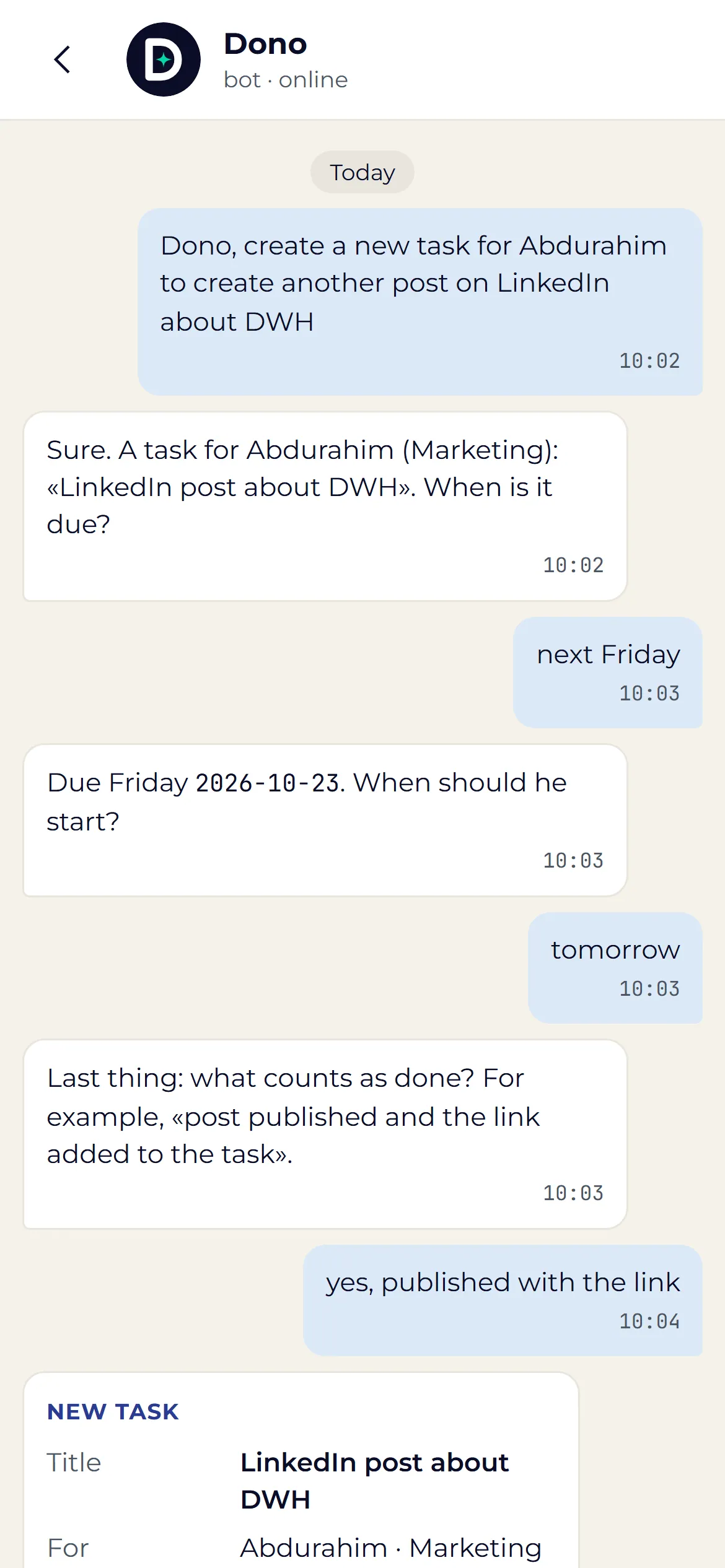
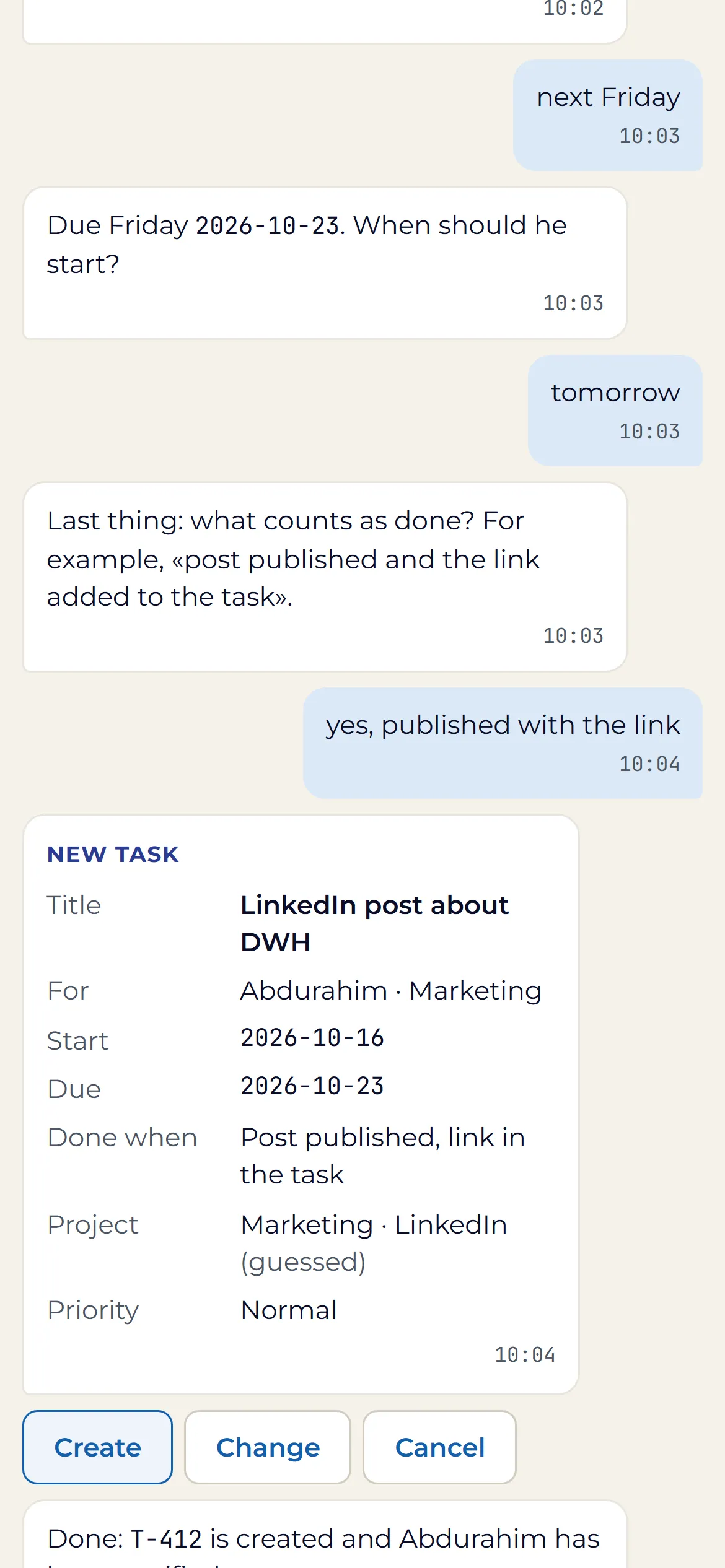
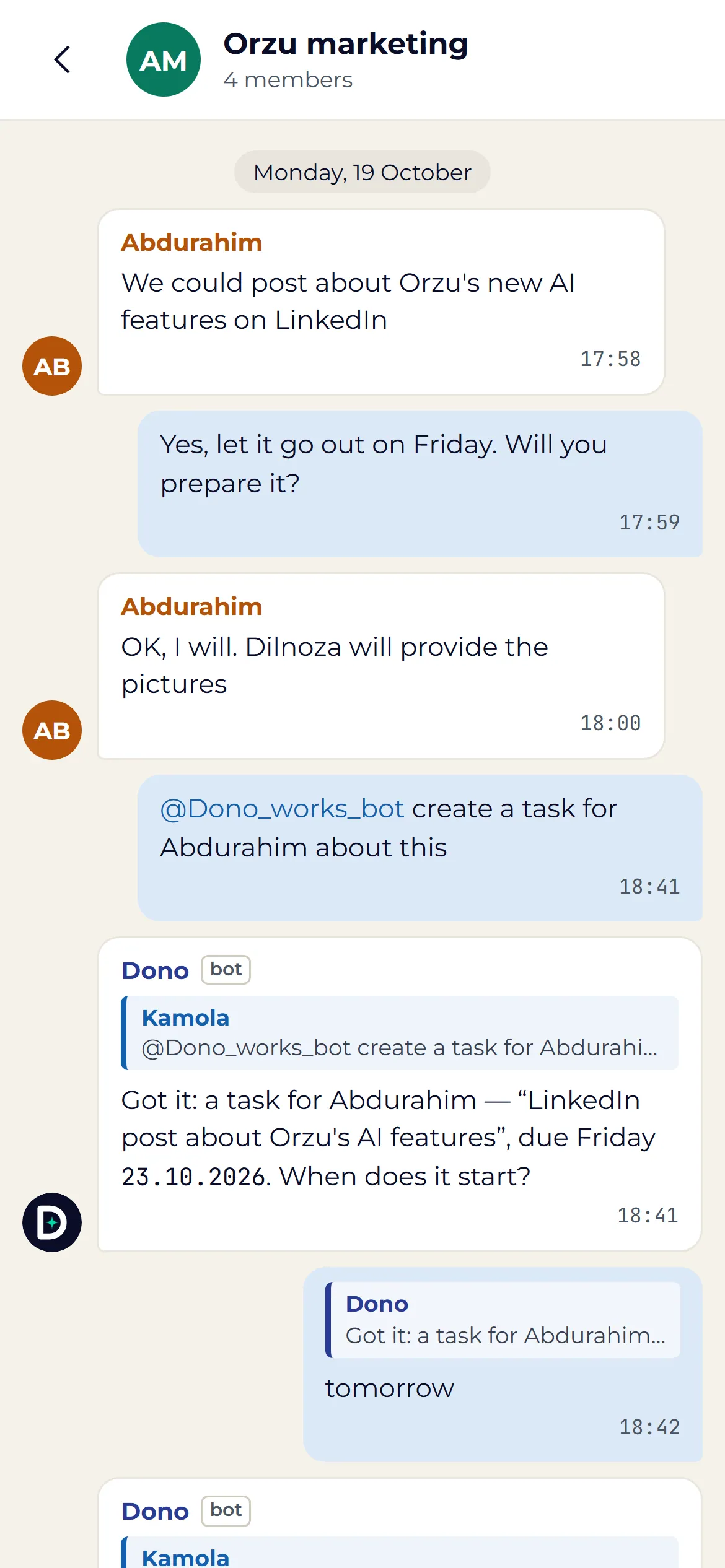
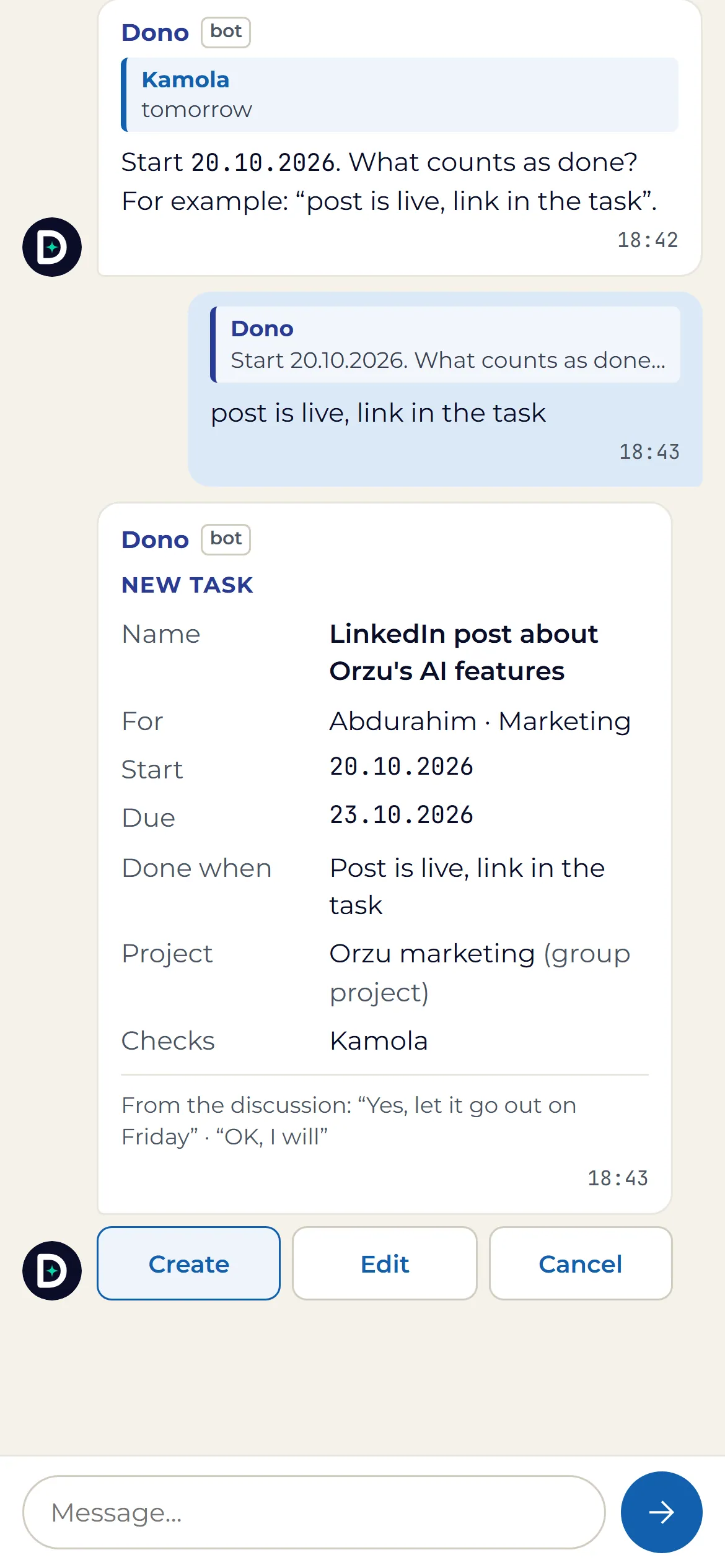
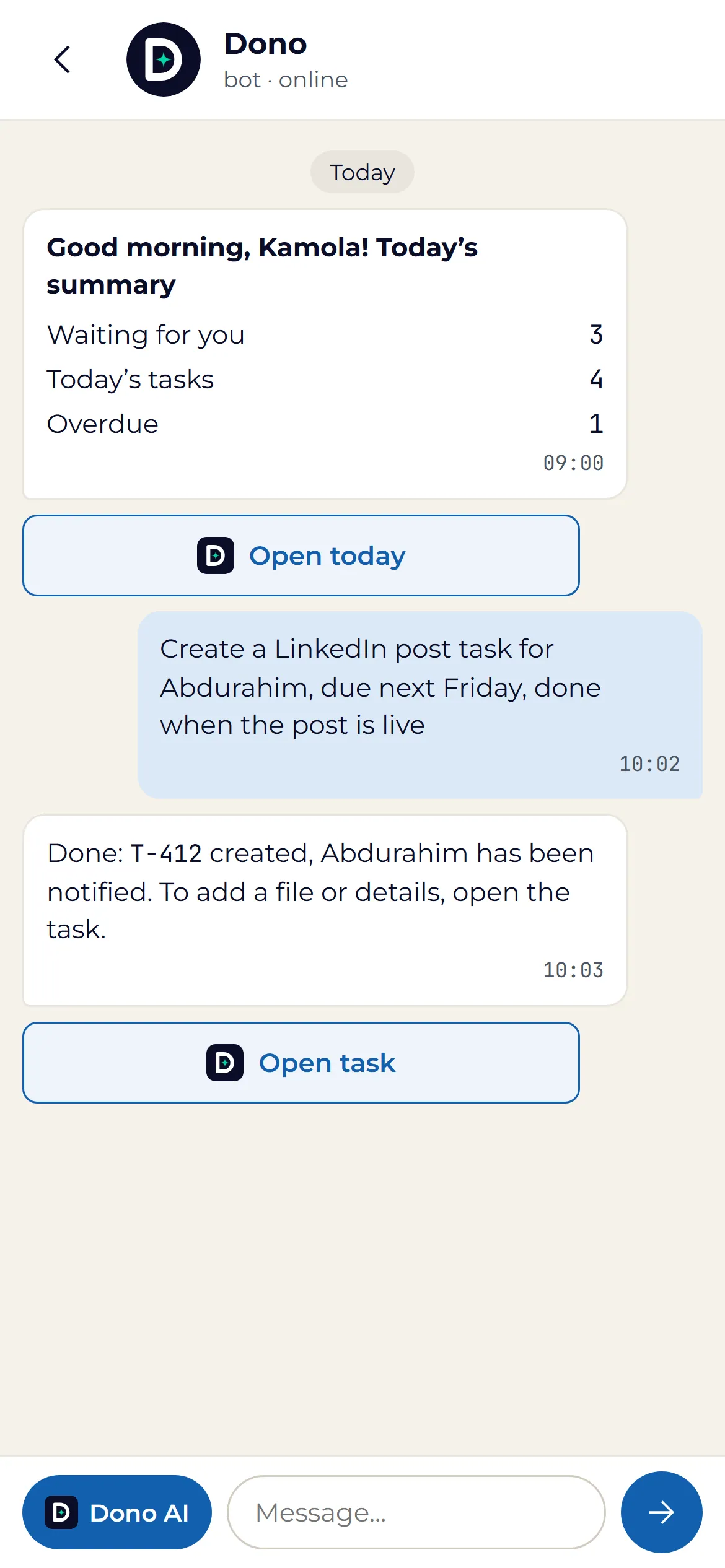
"Dono, ask Sardor to write the LinkedIn post about the warehouse by Friday." She asks only for what is missing, shows you the card, and creates it when you press: assigned, dated and tracked in Dono AI.
Said in Telegram. Recorded in Dono AI.
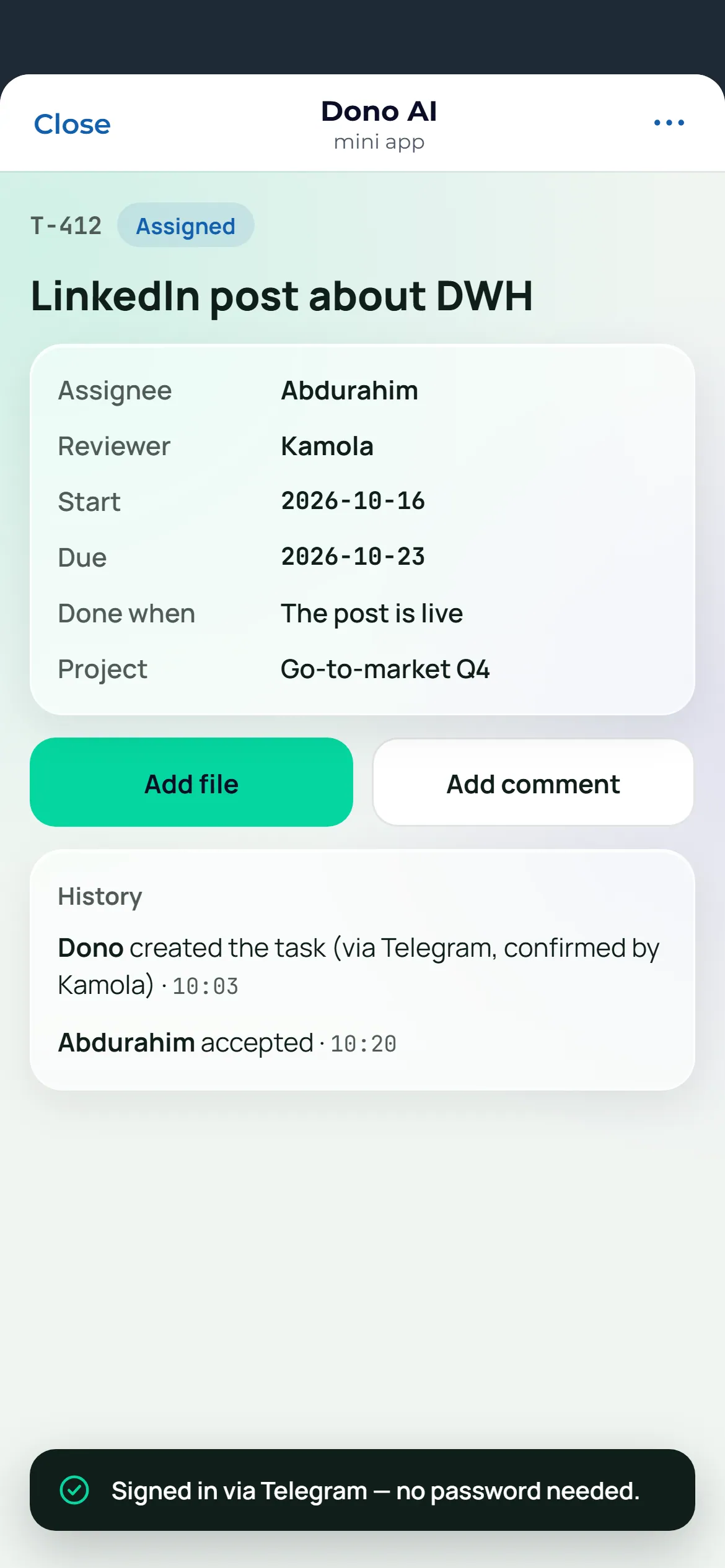
Every task, answer and reminder she handles in Telegram lands in the app with its full trail, so nothing your team agrees in a chat gets lost.
Add her to the group. Nothing gets lost.
Add her to the group chat. She answers for everyone, turns a discussion into tasks, helps plan the project, drafts the e-mail, opens the client ticket, and files it all in the app, from the first message to the finished work.
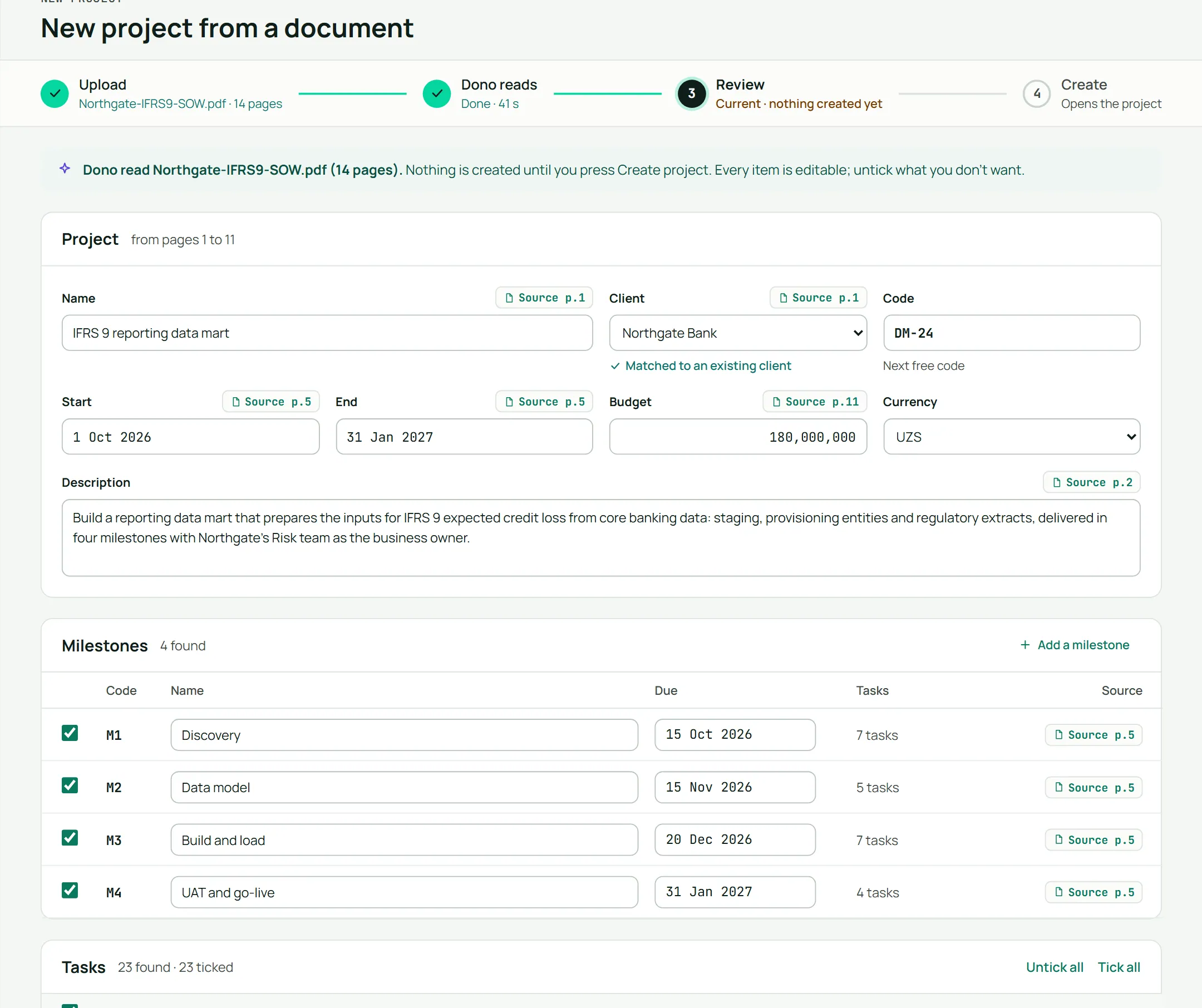
Give her a contract. Get a project.
Parties, rates, milestones, the purpose, the goals with their quotes from the contract, the scope, the team and the tasks. Proposed for you to review. Nothing is created until you apply.
Follows up
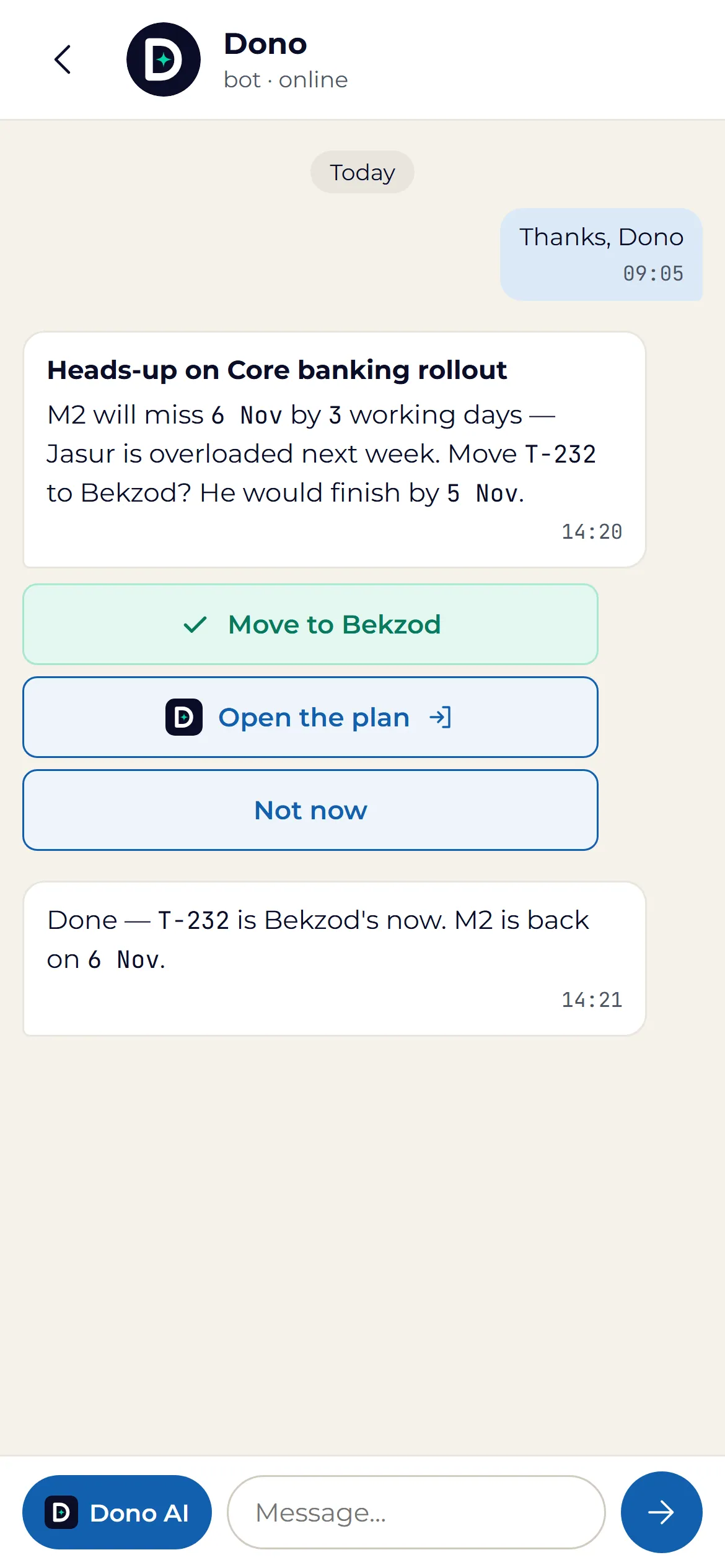
A manager's worst sentence is "I found out too late." Dono makes sure you never say it. She watches every deadline against the forecast, sees the slip coming, and puts the fix in front of you while there is still time to use it.
An early warning in Telegram.
The project lead hears it first, with a one-tap fix.
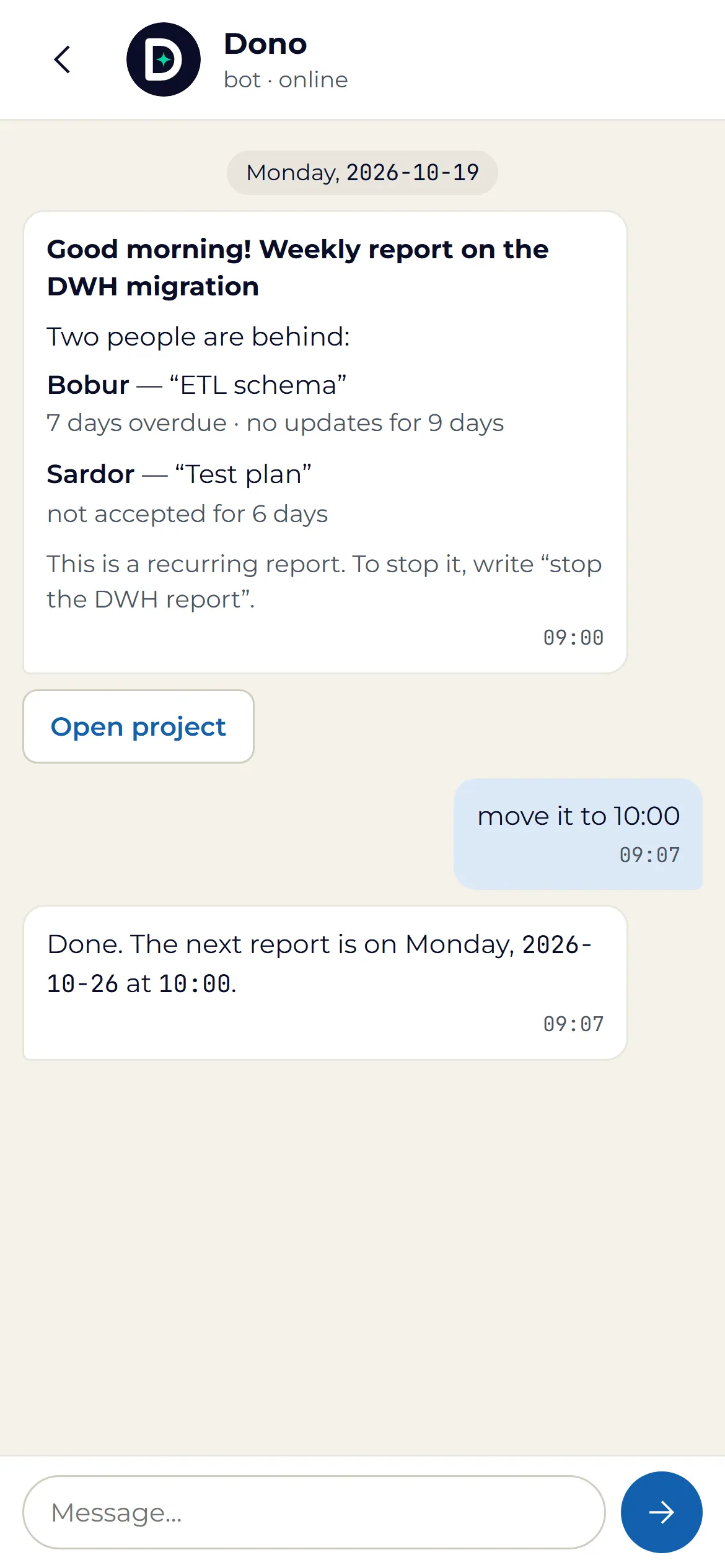
She reports on schedule.
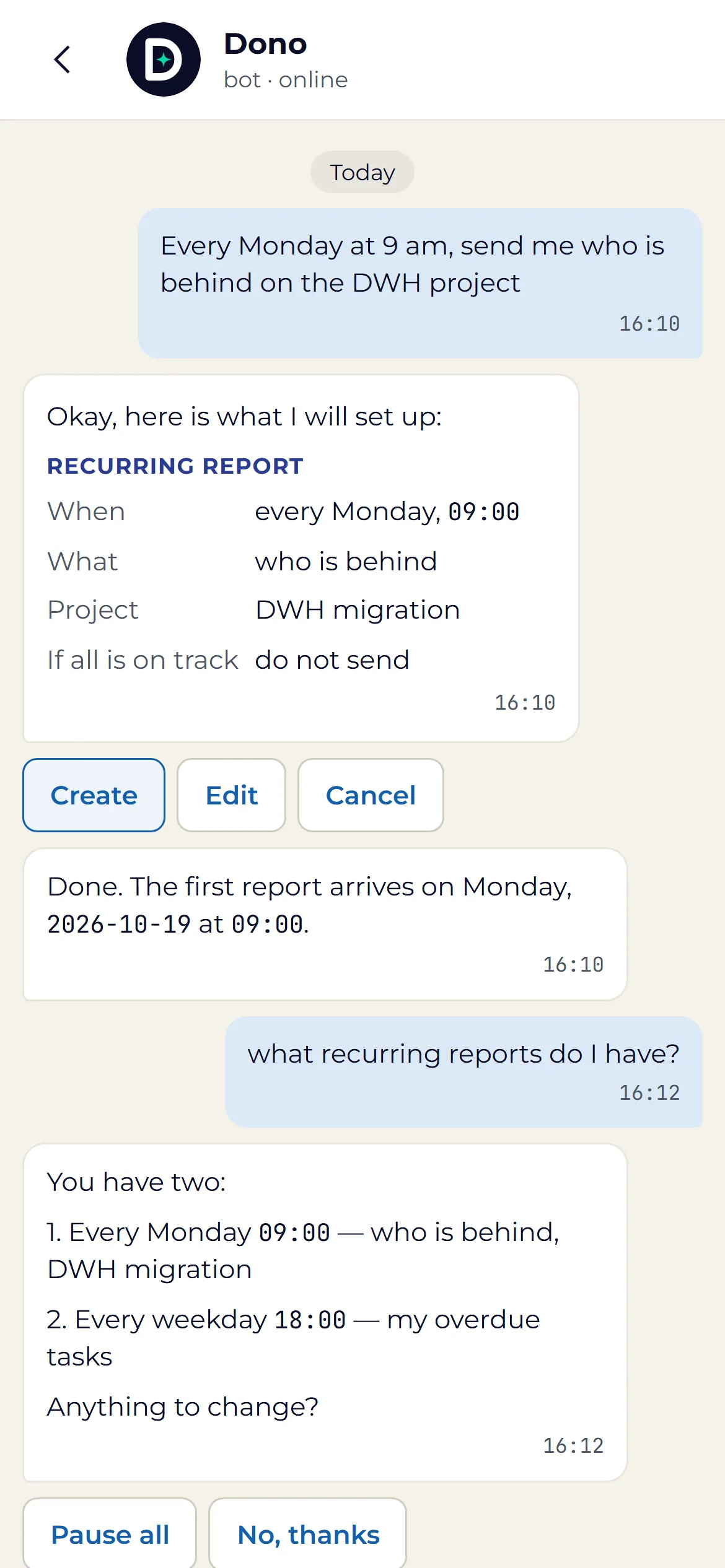
"Every Monday at nine, send me who is behind." And she stays quiet when nothing is.
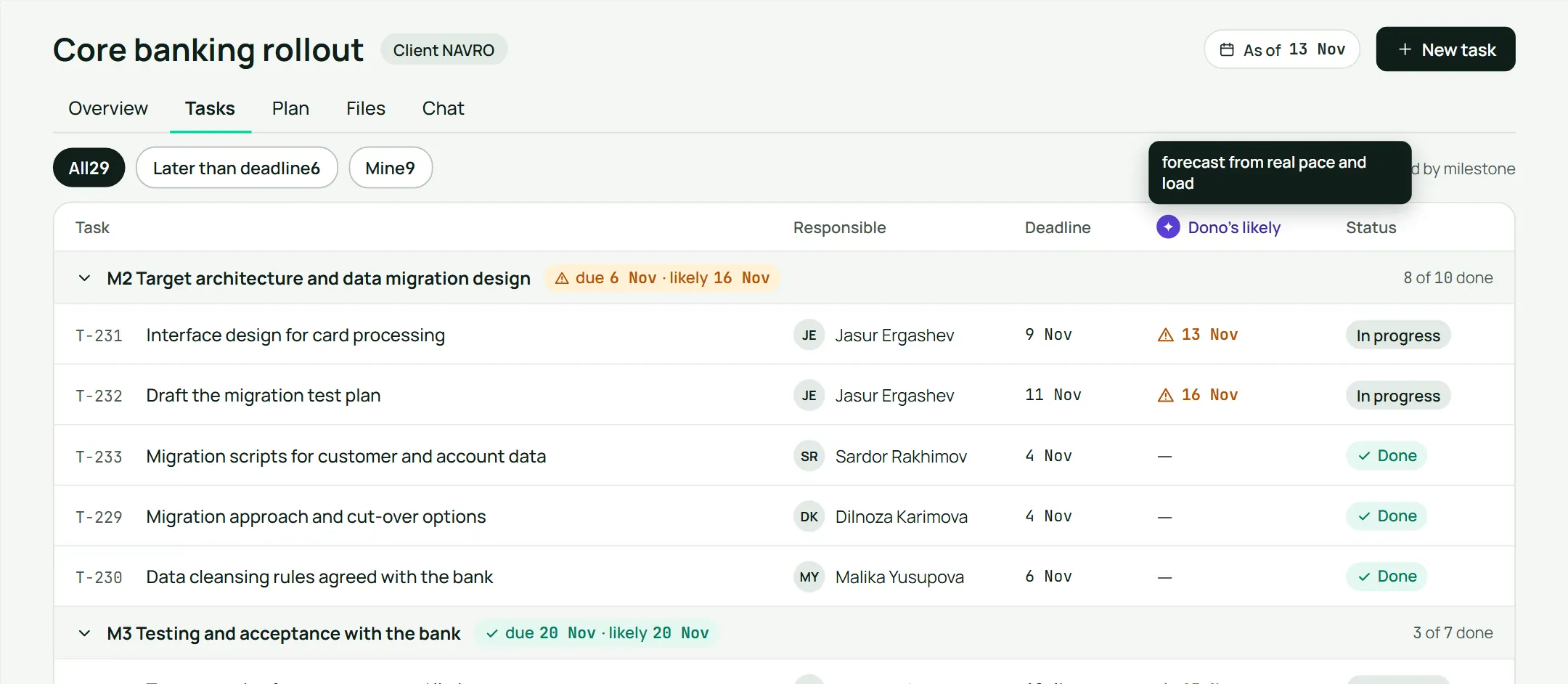
A forecast next to every deadline.
You see when work will really land, not just when it is due.
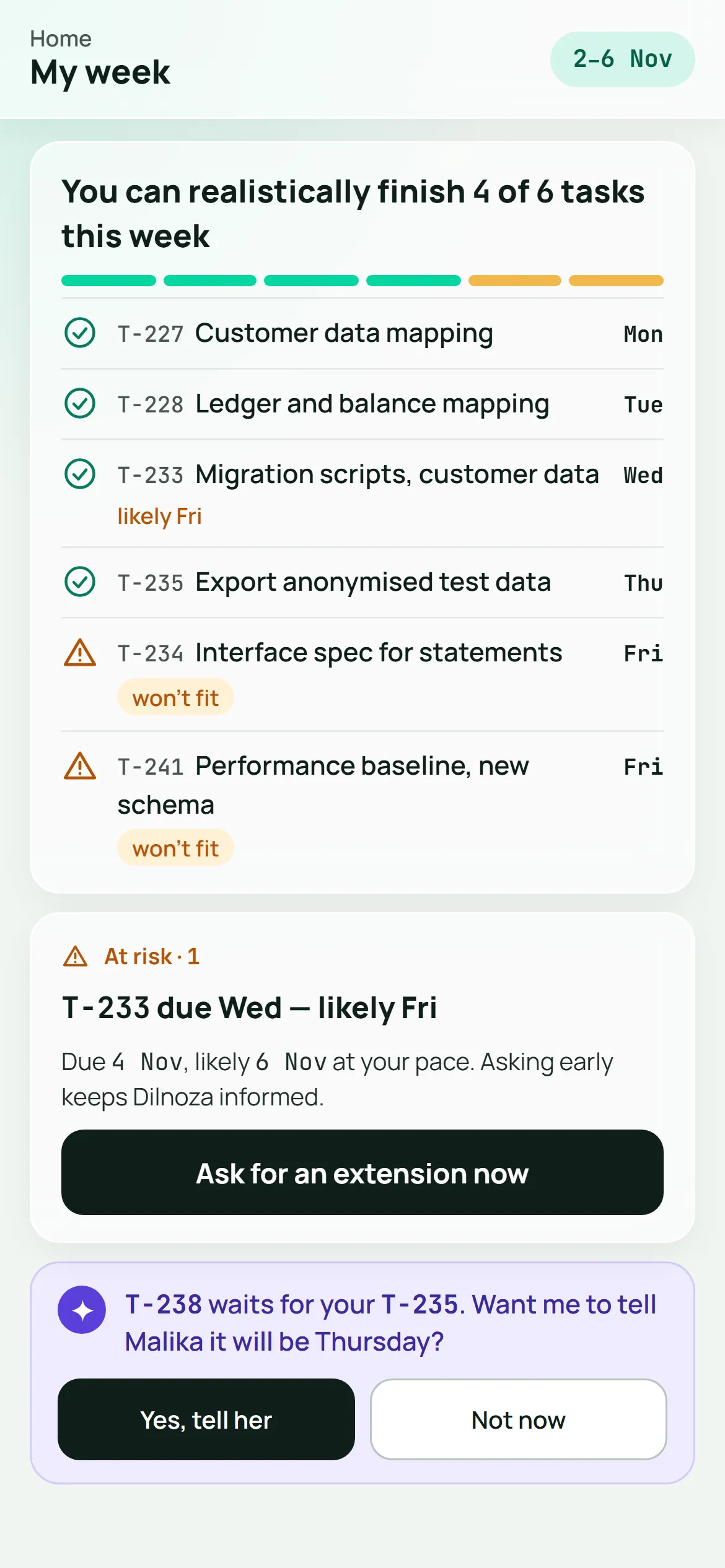
My week, for everyone.
What fits this week, what is at risk, who is waiting on you. Ask for the extension before it is late, not after.
Overdue work climbs the ladder on its own.
From the person doing it, to the one who answers for it, to their manager, to you.
- The person doing it
- The one who answers for it
- Their manager
- You
Work comes back with proof.
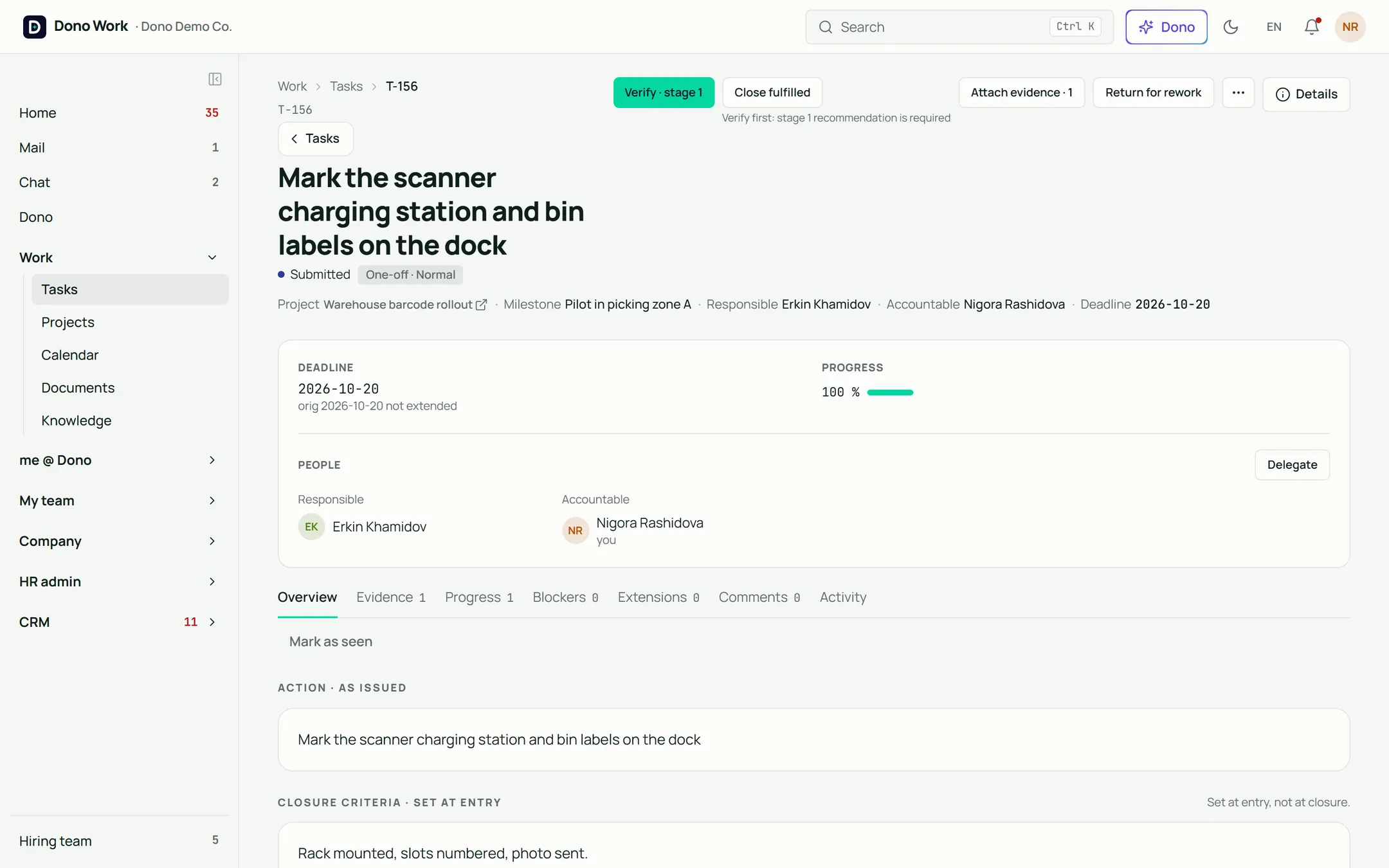
Tasks carry evidence and a verification step. The person who did the work cannot be the one who signs it off.
Every decision on the record.
Return, extend, close partial, reopen: each with a written reason.
The moment that sells it
In Telegram: "Who is behind on the Samarkand opening?" Two names, two reasons, one door. Then: "Create a task for Sardor…" A card. Create. Done.
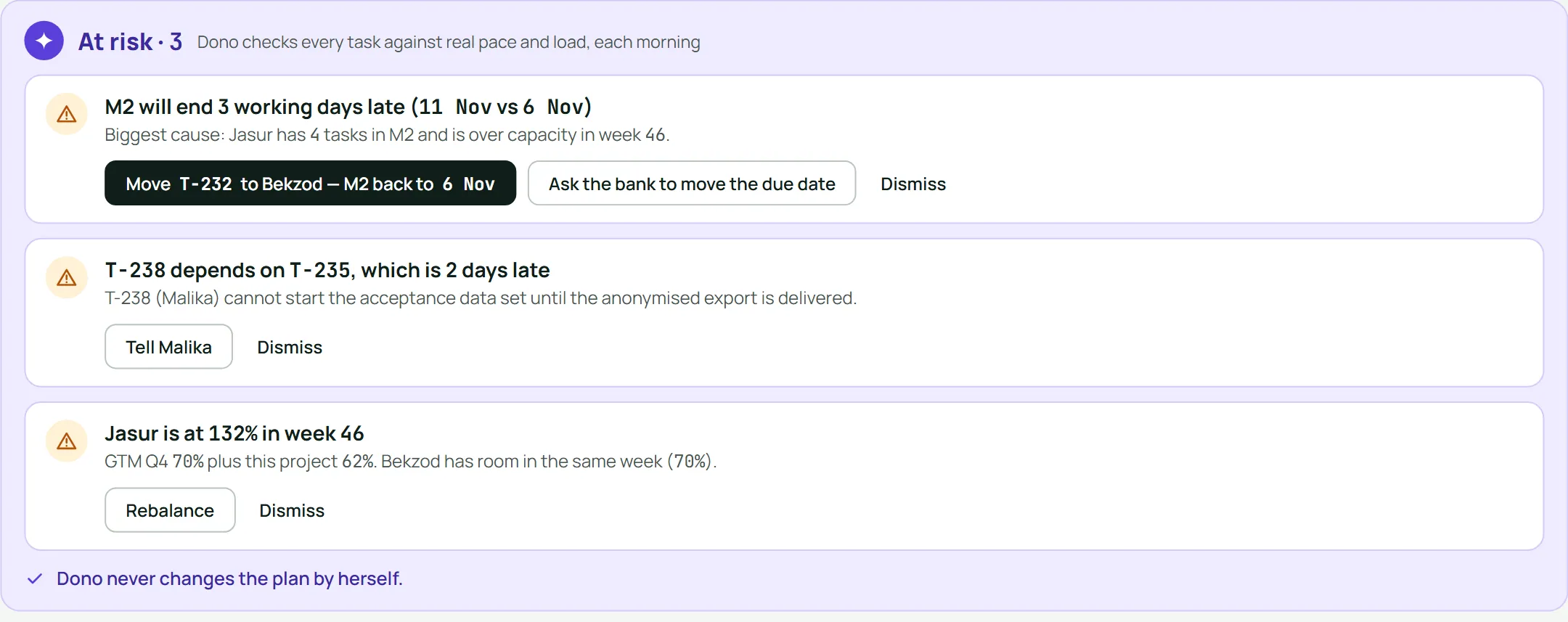
The At-risk card: "Milestone 2 will end three working days late. Biggest cause: one person holds four of its tasks and is over capacity that week." One click: reassigned. The forecast turns green.
No surprises on Friday.
Done means verified.


Meet Dono today.
Try her yourself in the live demo: an invented company, seven roles, nothing to install. Or book thirty minutes with us and bring a job description and a contract. Watch her hire and plan.